Standalone + remote interface
RIO
Control that travels with the camera.
The RIO sits next to the camera and controls it over USB-C, Wi-Fi or serial. Then it carries that control wherever you are: across the venue LAN or through the REMI cloud over 4G/5G, back to the panel at home.
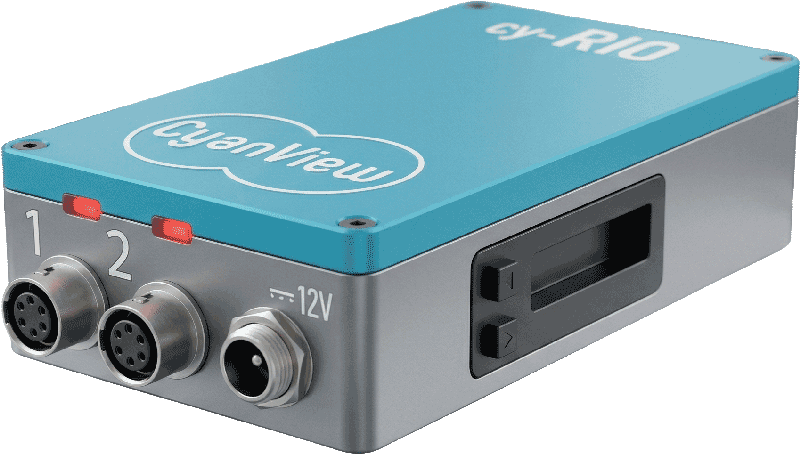
Built for rigs that move
Gimbals, Steadicams, athlete cams and drones will not stay wired. The RIO powers from the rig battery through D-Tap, speaks to mirrorless bodies over USB-C, and disappears into the setup.
REMI in one paragraph
Set up the camera on the RIO exactly as you would locally. Type the same tag on the RIO and on the importing panel under Shared Camera Control, and the camera appears on the panel as an imported, numbered channel. Scaling out is the same move repeated: a RIO per venue, one tag, one gallery.
When the link drops
Cellular links fail in crowds and canyons. The RIO holds camera control locally until the link returns, so a dropped connection never becomes a runaway exposure.
Two licences, one hardware
RIO LAN controls up to two cameras with REMI on the local network only: lens control, Wi-Fi, USB and polecam rigs that stay in the building. RIO WAN unlocks unlimited cameras and full cloud access. On RCP and RIO WAN, cloud control is included and free.
Pair it with
See it in context: Concerts and festivals · Extreme and action sports · College sports · Corporate and conferences
Deep specs live in the manuals
Pinouts, ports, power budgets and integration lists are maintained at support.cyanview.com, always current.
One Cyanview for every camera.
© Cyanview · Belgium